DevTools for all your screens at once.
Inspect an element and compare it across screens, read every console in one list, edit CSS live everywhere, and change cookies, storage and request headers without leaving the workspace.
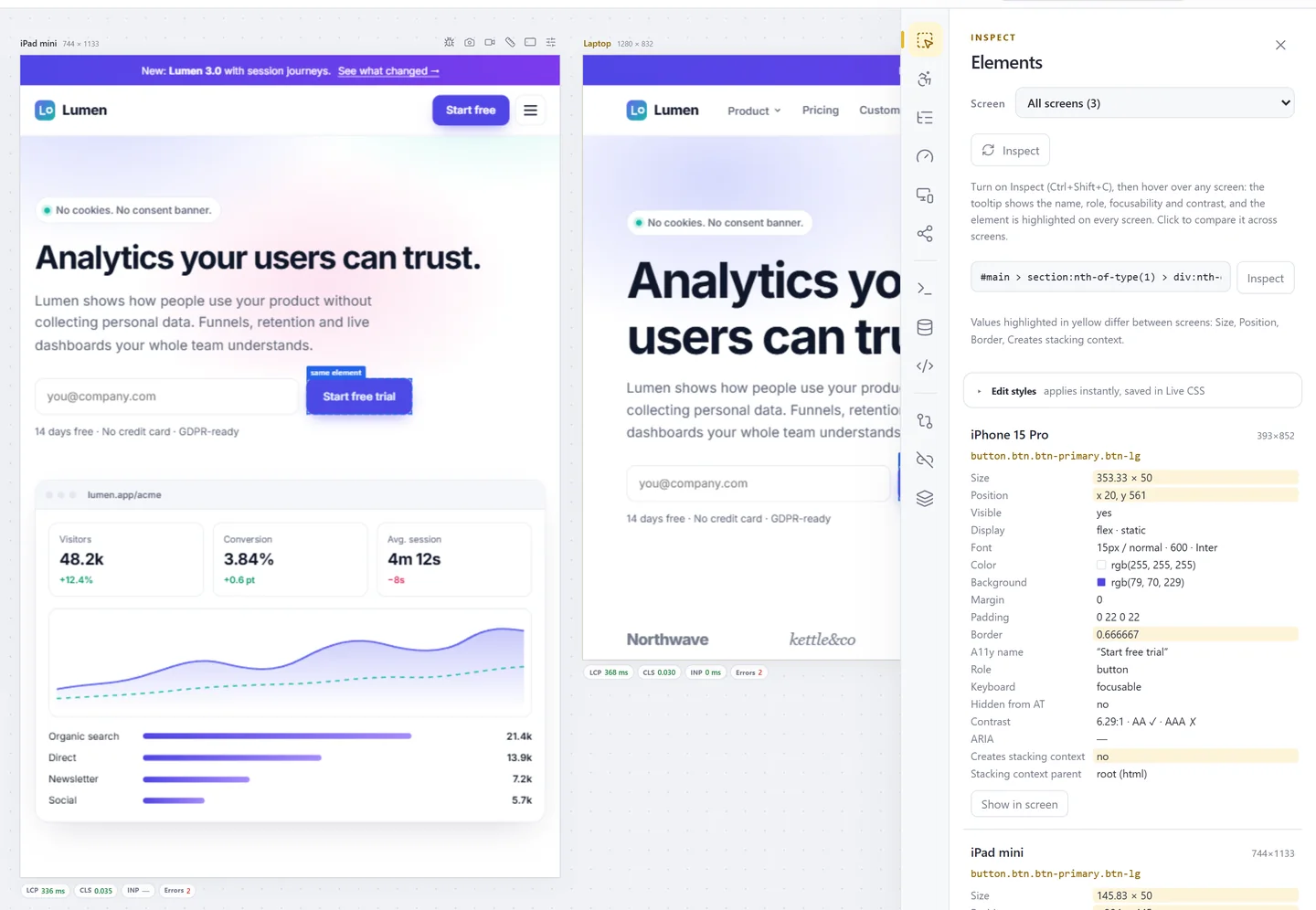
Compare one element across screens
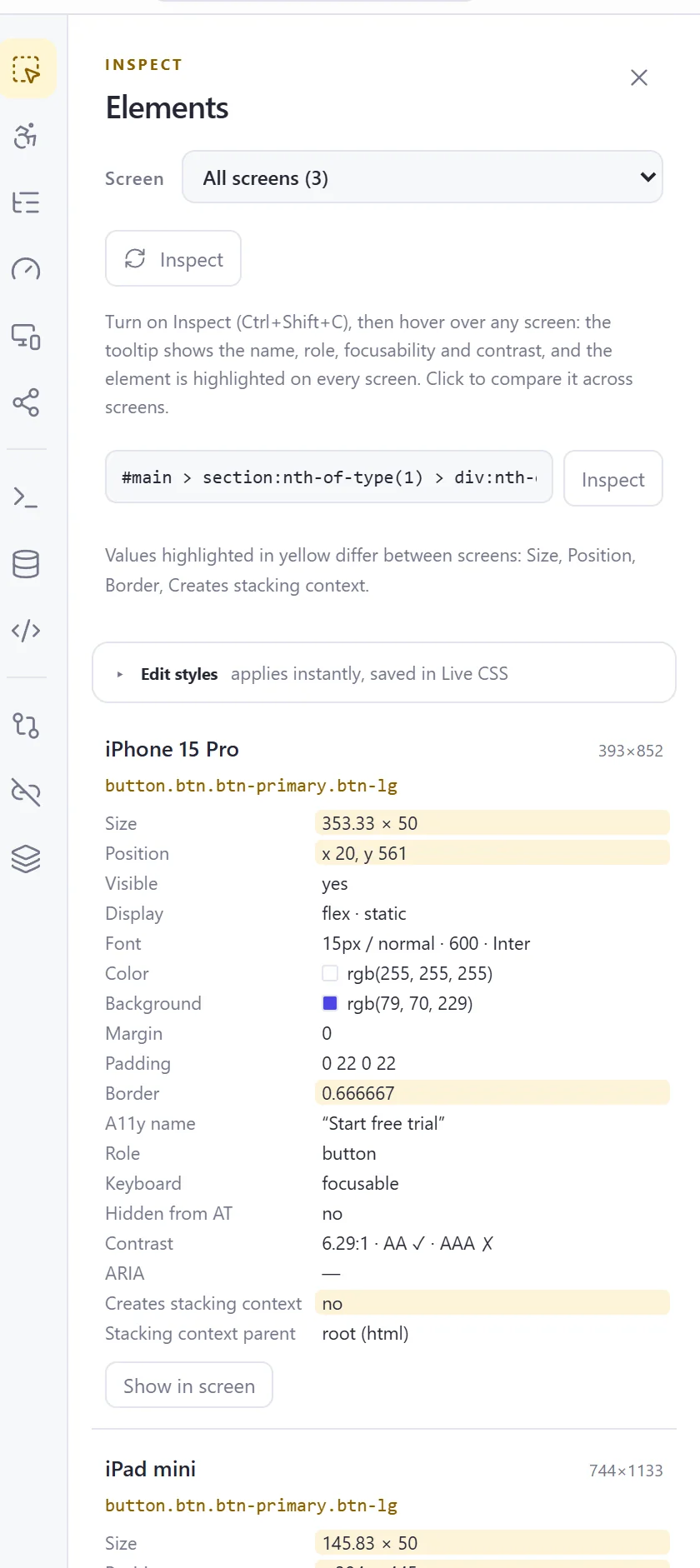
Click an element while inspecting and see its size, position, font, colours, box model and accessibility facts for every screen. Values that differ between screens are highlighted.
- Edit styles applies to every screen and saves the rule in Live CSS
- Creates stacking context and stacking parent shown
- Show in screen scrolls to it
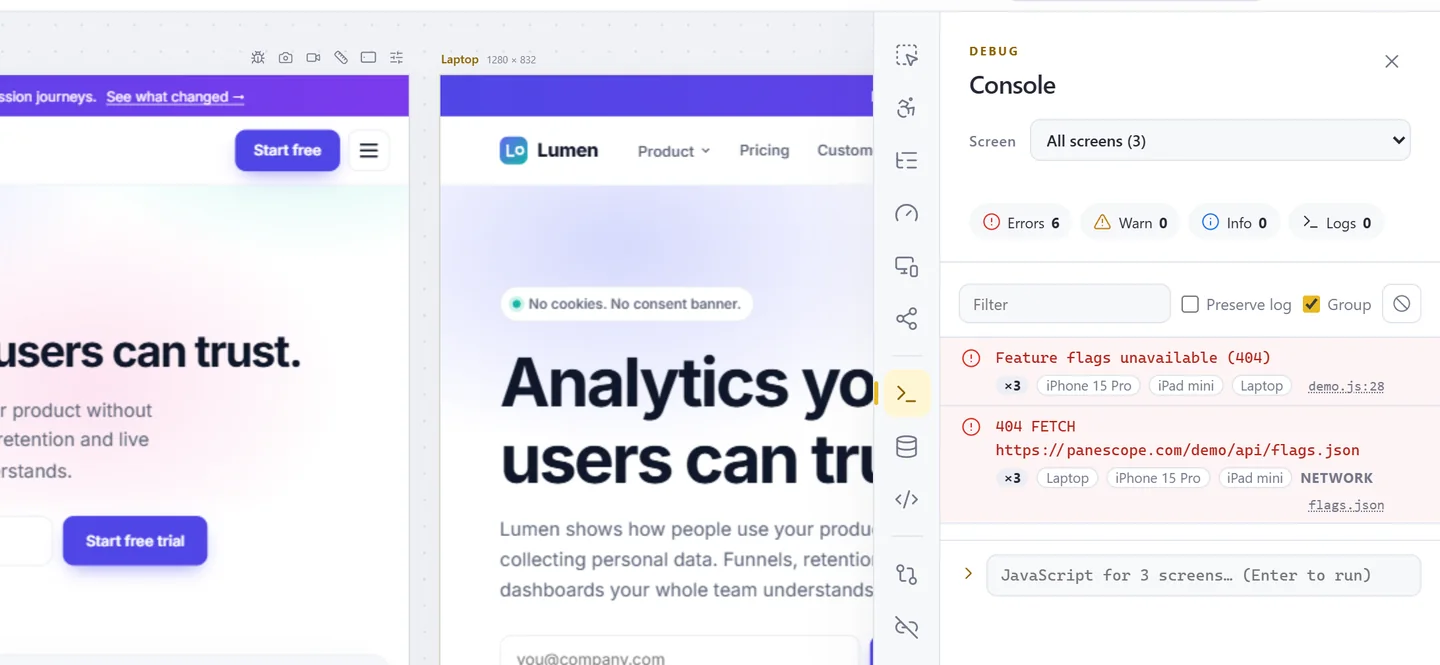
Every console, one list
JavaScript errors, console calls, rejected promises and failed requests from all screens. The same error on several screens is one row with their names.
- Filter by level, search, preserve log across reloads
- Run JavaScript, with await, on one or all screens
- Error count in each status bar
Live CSS & JS
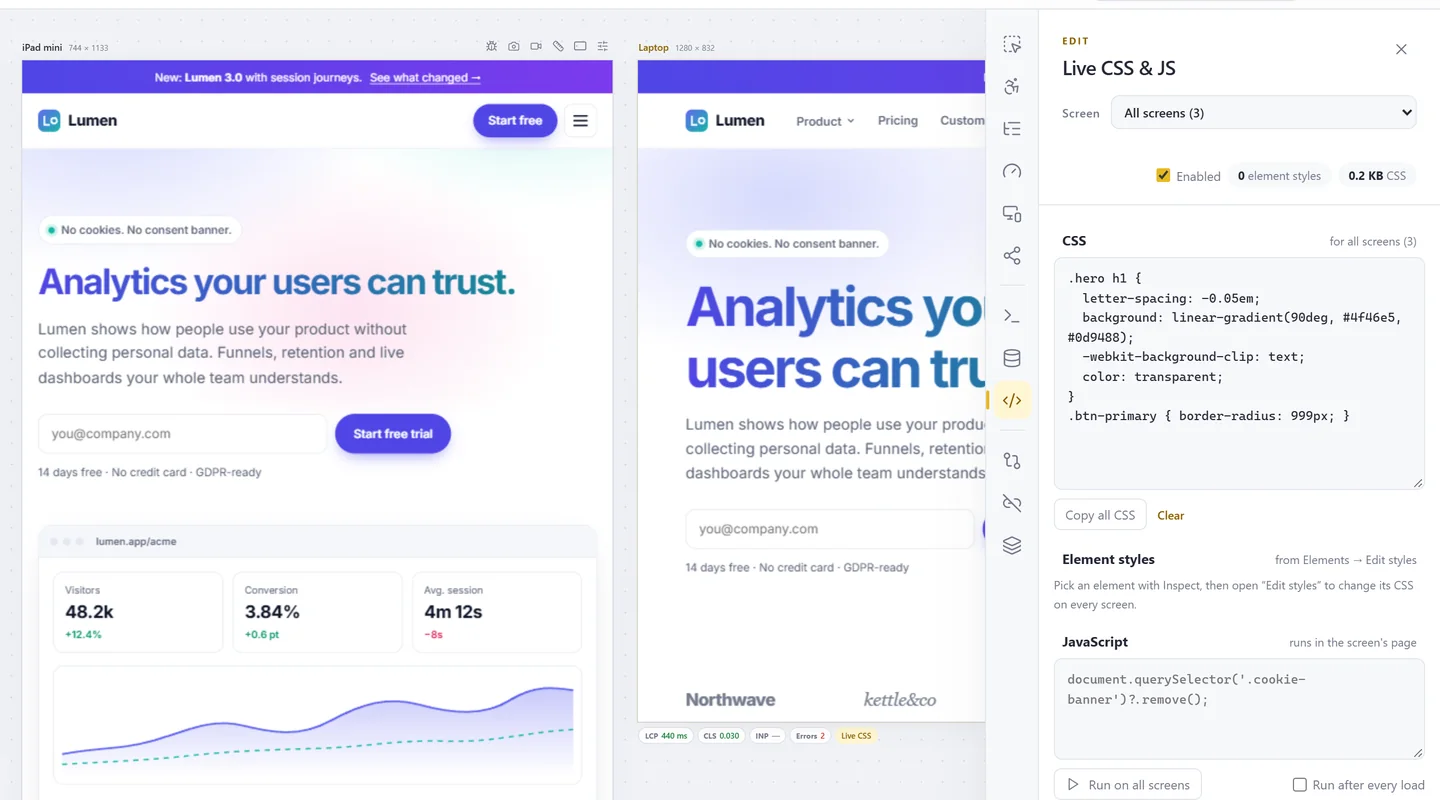
Write CSS that applies to every screen or one, before the first paint, and stays after a reload. Run JavaScript once or after every load.
- Element styles from Inspect, listed and editable
- Per-screen or for all screens
- Copy all the CSS when you are done
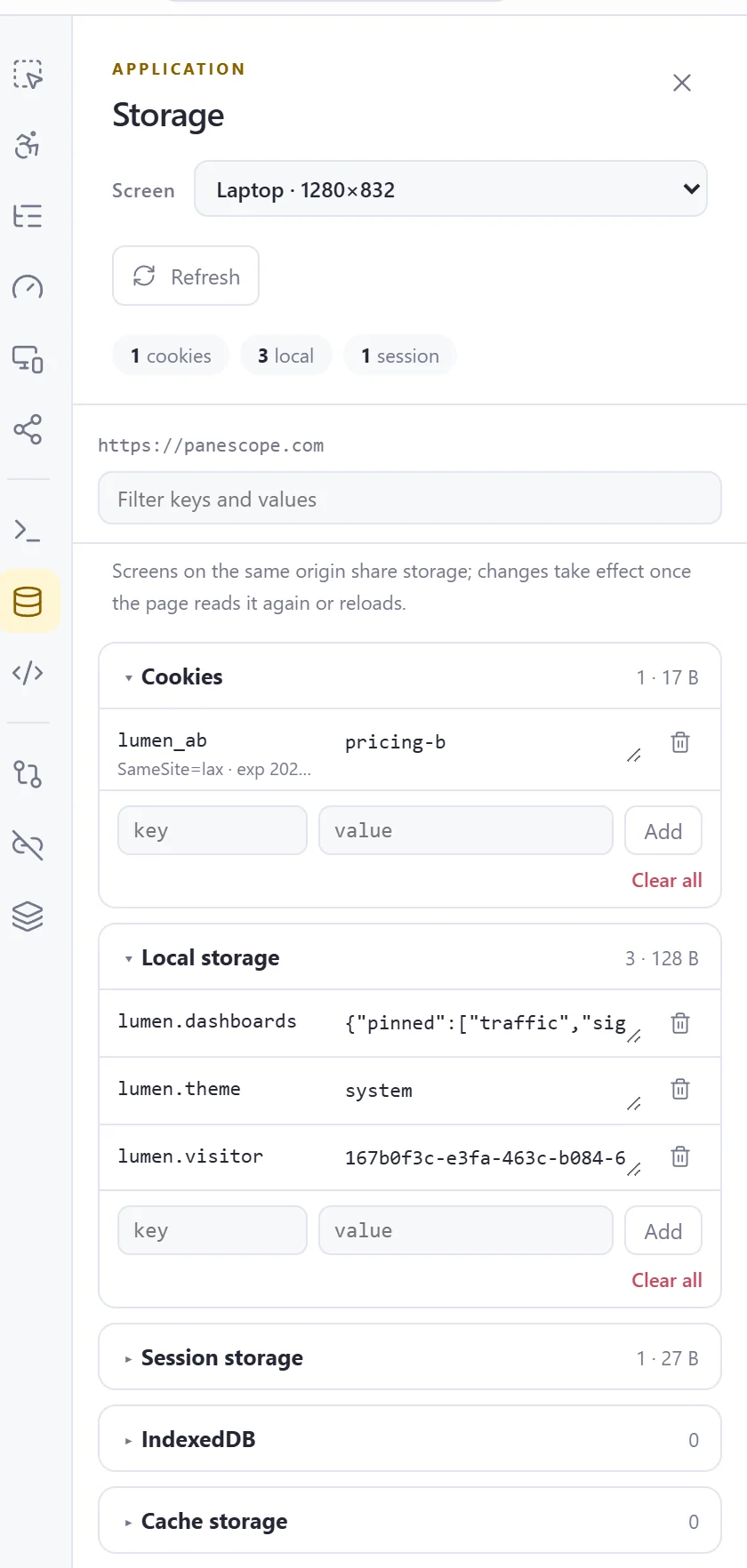
Cookies and storage
Cookies (HttpOnly included, with Secure, SameSite and expiry), localStorage, sessionStorage, IndexedDB and Cache Storage. Edit, add and delete.
- Per screen, for the screen's origin
- Shared storage explained when screens share an origin
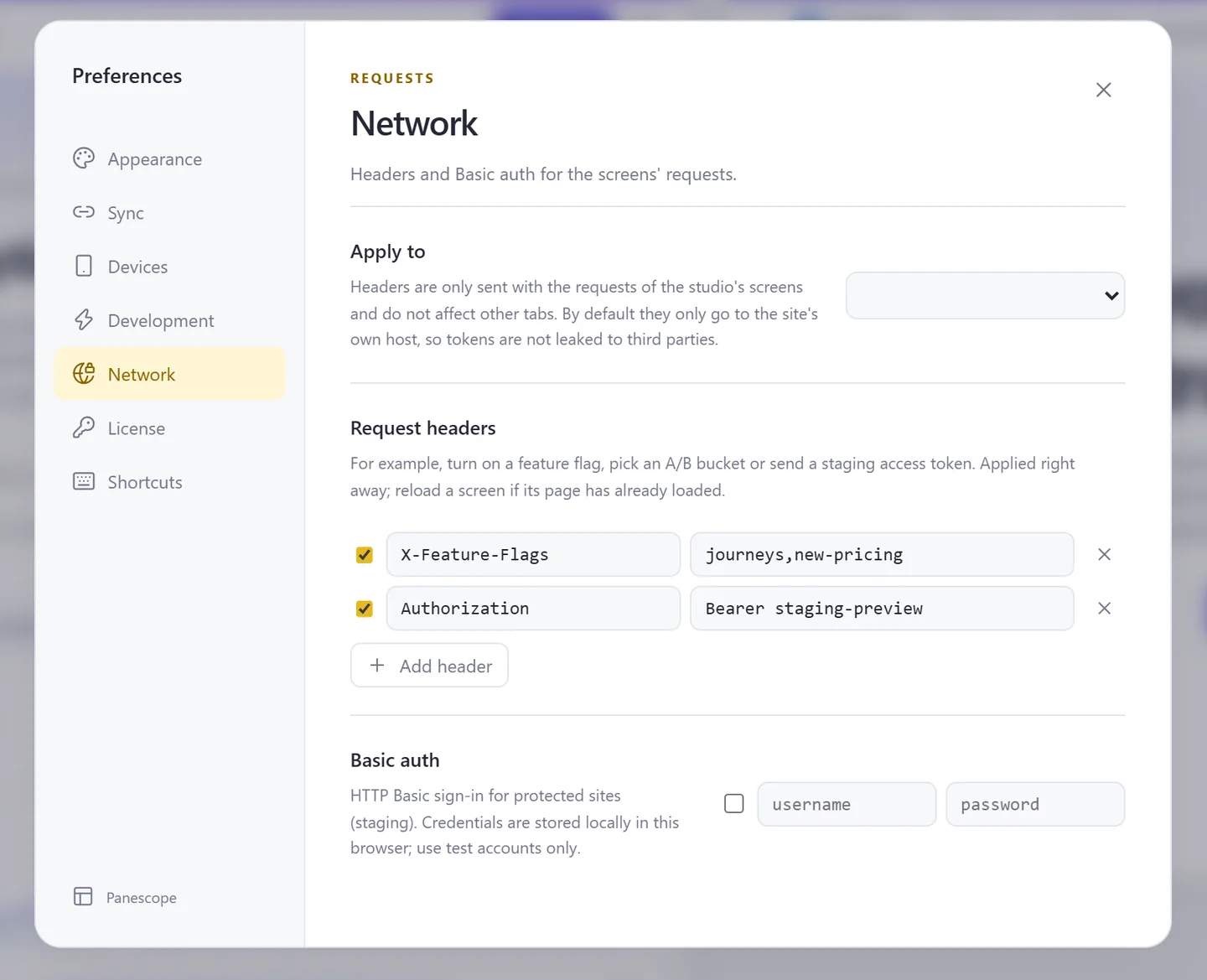
Headers and basic auth
Send feature flags, A/B variants or a staging token with the screens' requests, and sign in to protected staging sites. Only to the site's host by default.
- Custom request headers, each switchable
- HTTP Basic authentication
- Scope: the site only, or every host
Fill every form with test data
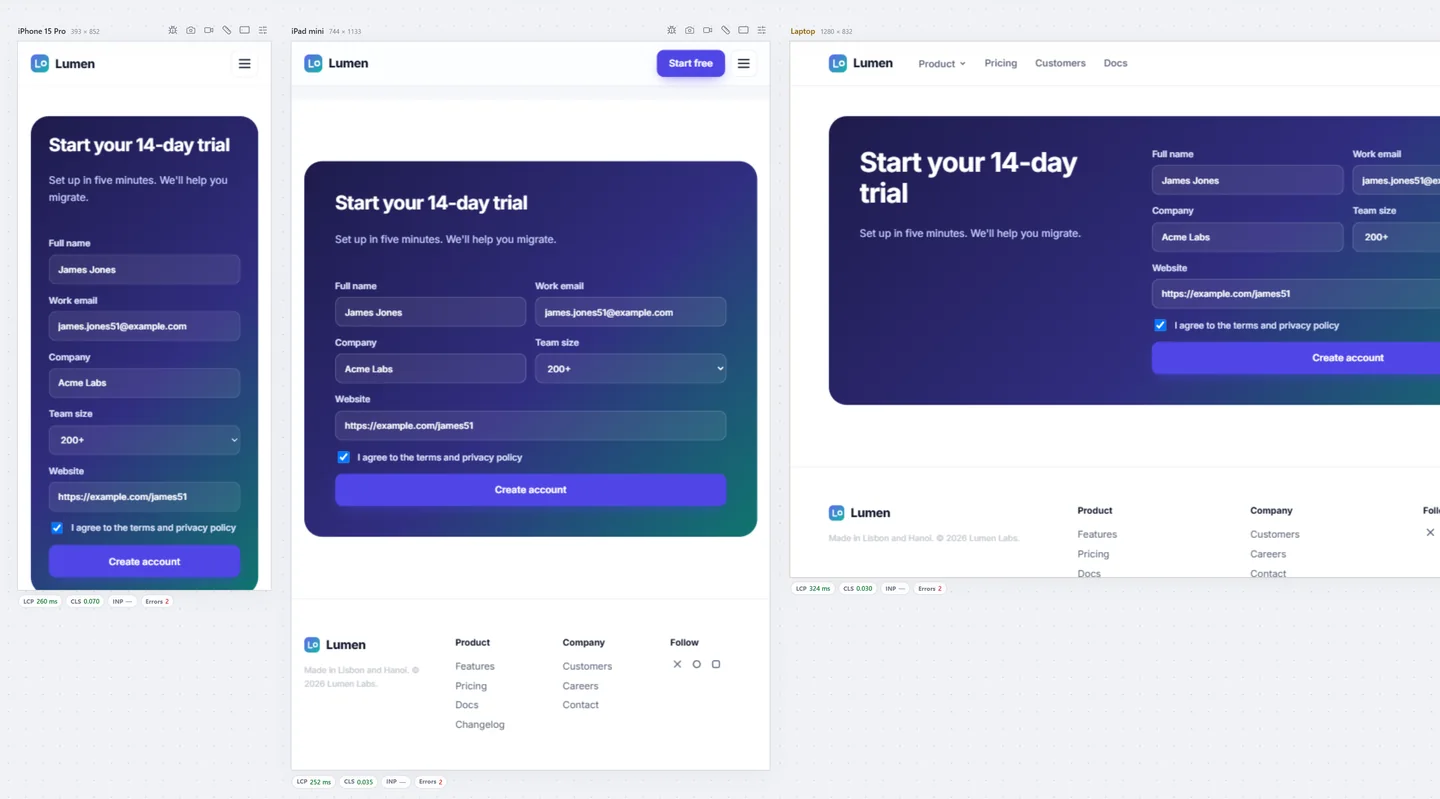
The same realistic data in every screen's forms, respecting pattern, maxlength, selects, radios and consent checkboxes. Undo restores what was there.
- en-US or vi-VN data sets
- One seed, same values on every screen
Also in Developer tools
Command palette
Ctrl+K for every action, device and setting.
Live reload
Reload every screen when your files change, keeping the scroll.
Emulation
User agent, language, location, JavaScript off, network, CPU, touch, timezone.
Test every screen before your users do.
Free to start. Pro for 3 days without a card.