Everything Panescope does.
Eight toolboxes, one workspace. Every screenshot on this site was taken with Panescope itself, on the Lumen demo site.
Responsive
Open your site in phones, tablets and laptops side by side, at their real CSS size and pixel ratio. Scroll, click, hover or type in one and the others follow.

Debug tools
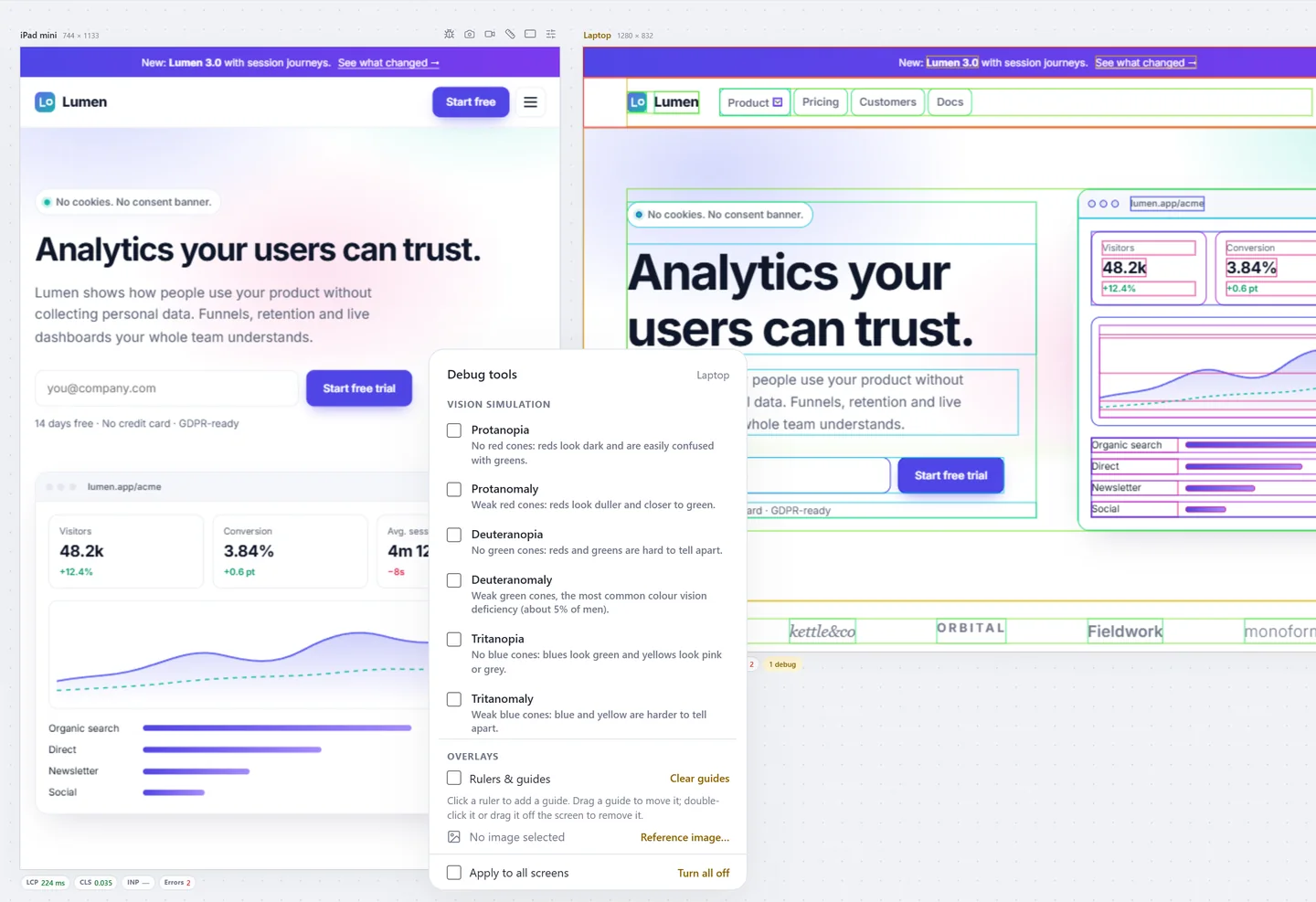
Simulate how people see your page, stress the layout with longer text and hostile CSS, and look inside the stacking order in 3D. Every tool works on one screen or all of them and comes back after a reload.
Accessibility
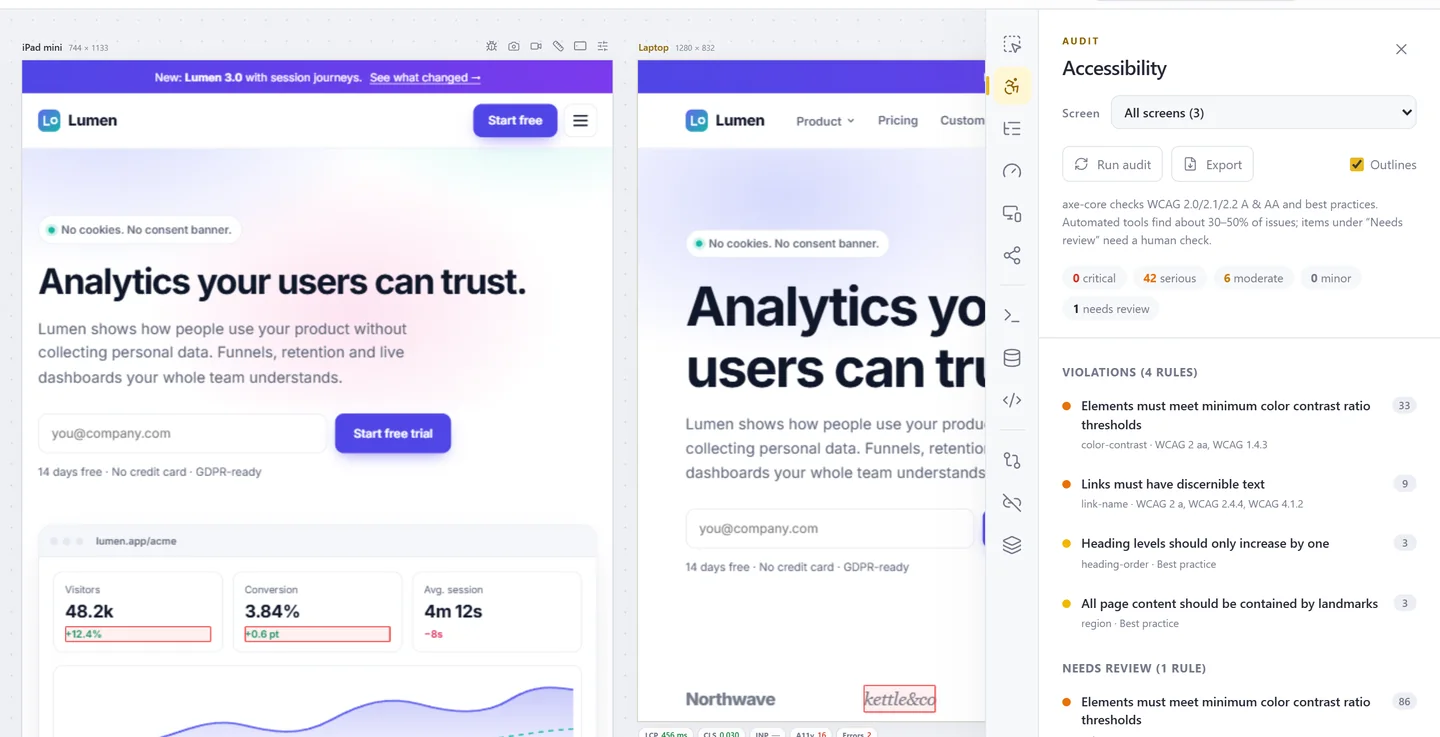
Run axe-core on every screen at once, then see the failing elements outlined where they are. Hover anything for its accessible name, role, keyboard focus and contrast.
Performance
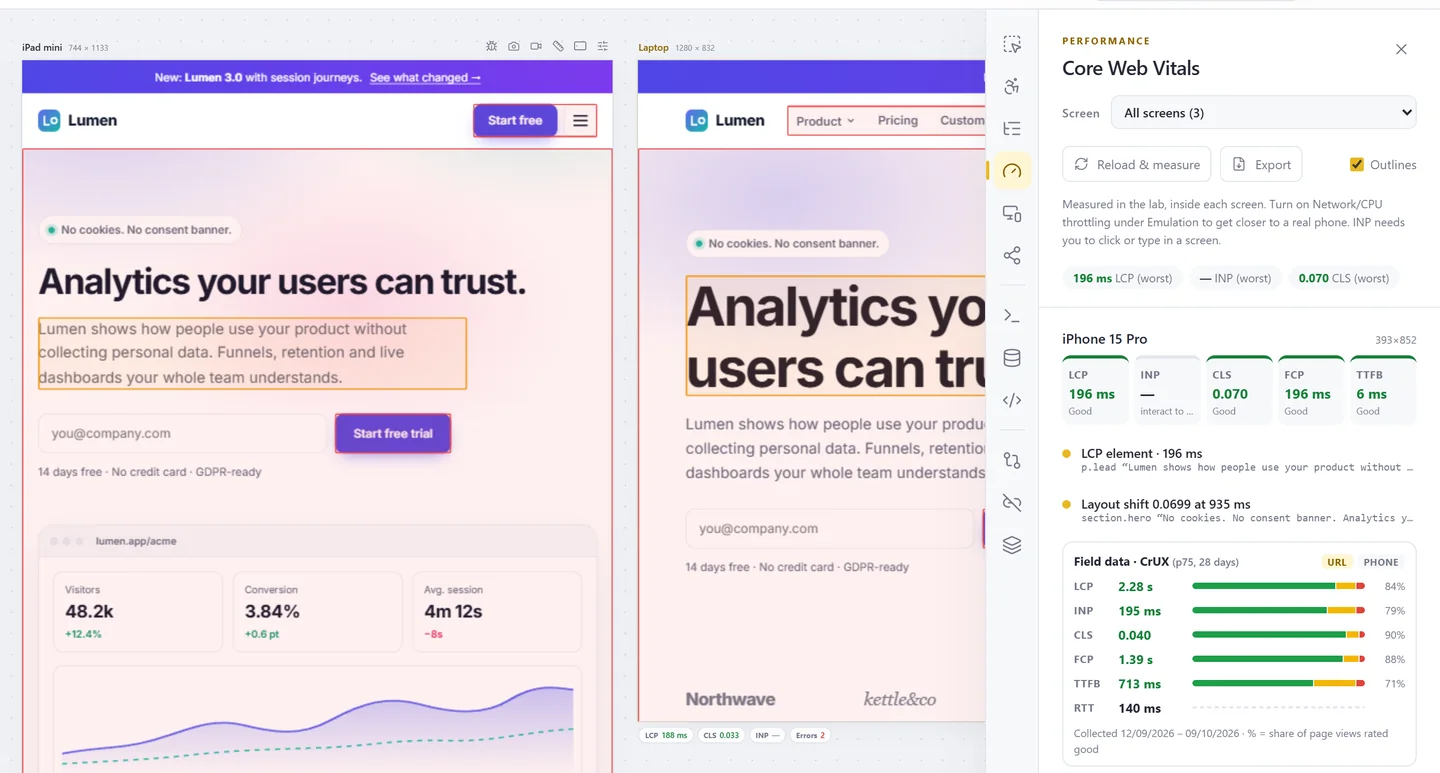
LCP, INP, CLS, FCP and TTFB measured inside each screen, with the LCP element and the layout shifts outlined. Compare them with what real Chrome users see.
Developer tools
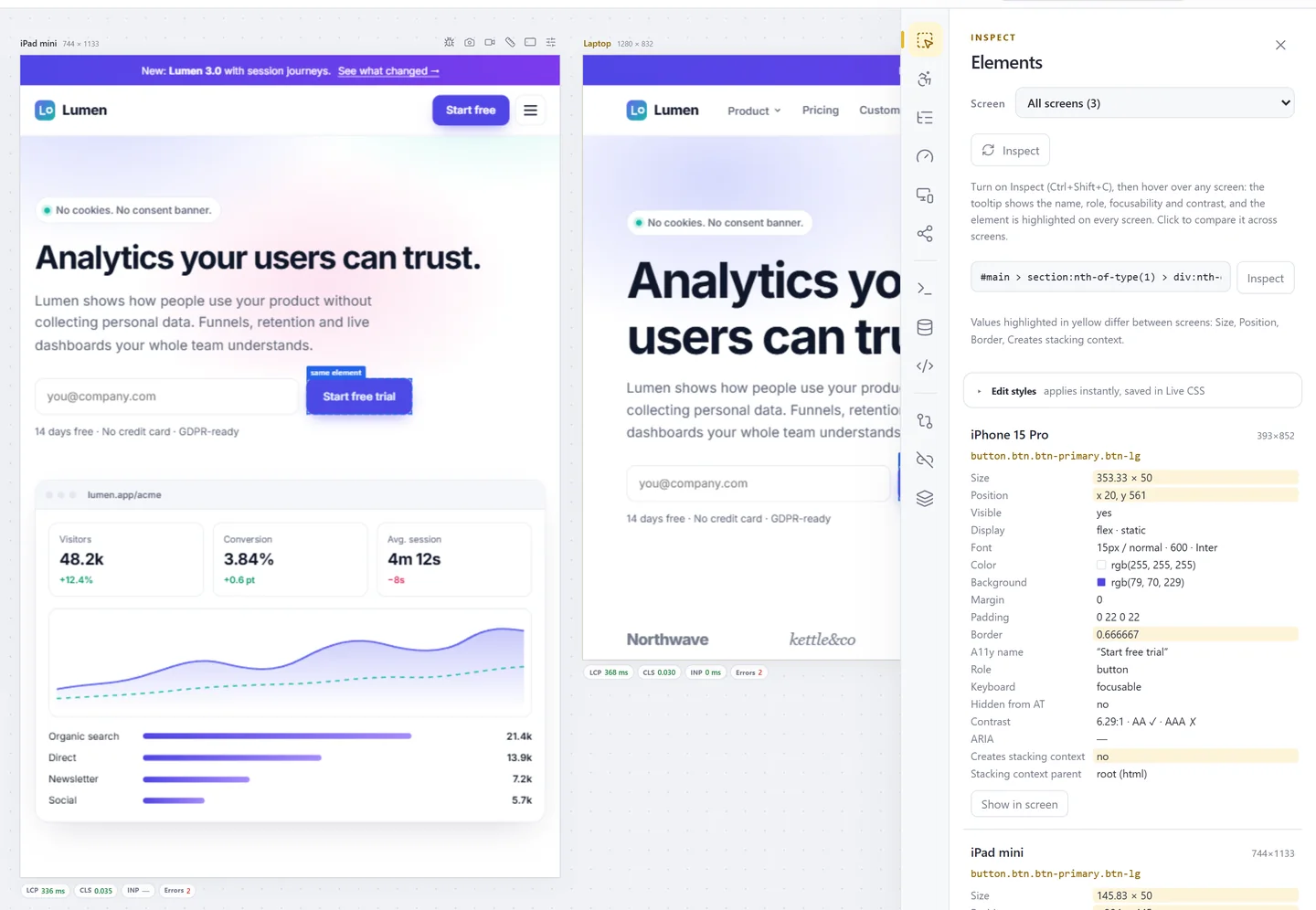
Inspect an element and compare it across screens, read every console in one list, edit CSS live everywhere, and change cookies, storage and request headers without leaving the workspace.
Meta & sharing
Title, description, canonical, robots, Open Graph, X cards and JSON-LD in one panel, with the order of your <head> and previews for Google and ten social networks and chat apps.
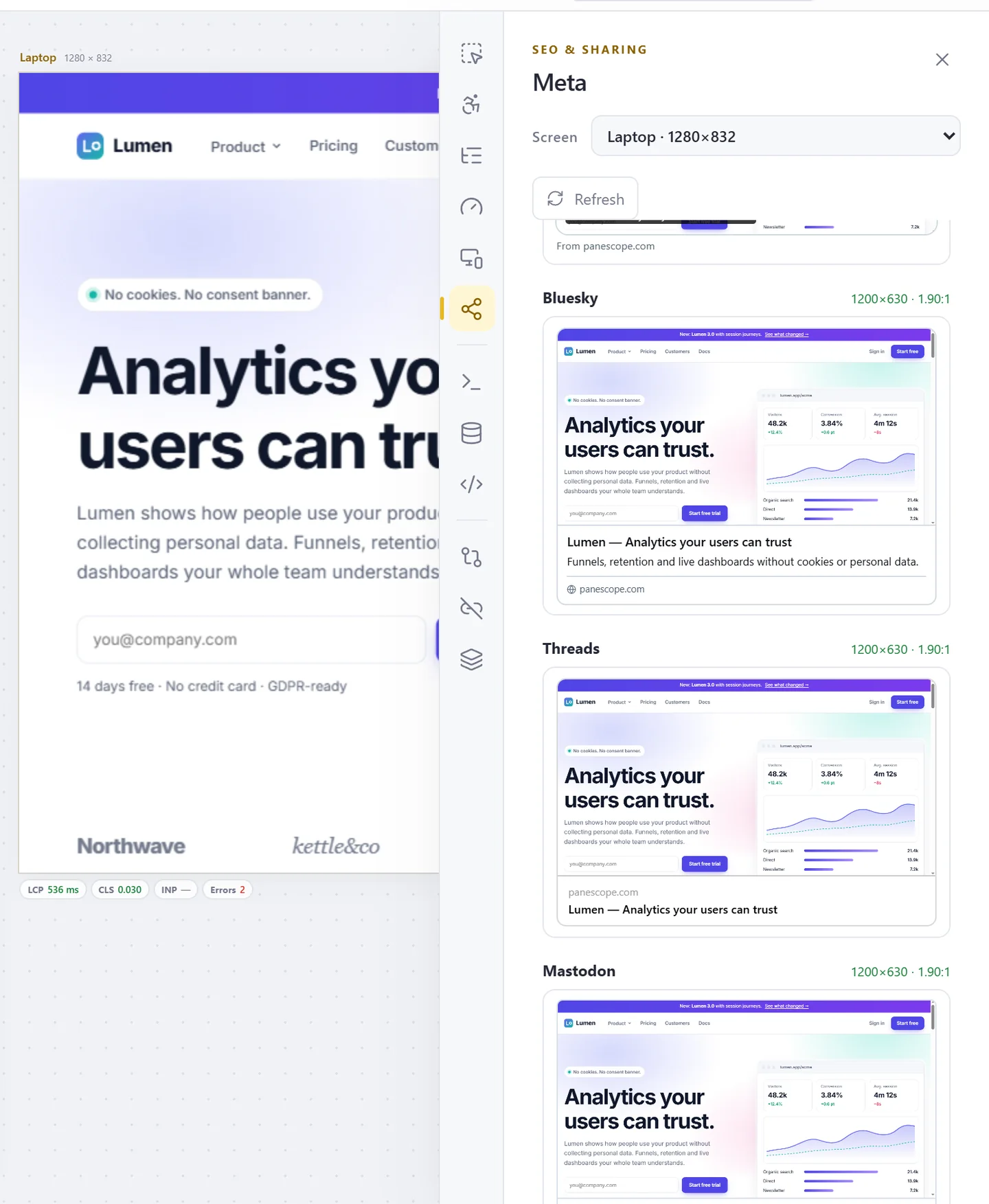
Screenshots & video
Capture one screen or all of them, visible or full page, up to 16× resolution. Put them in device frames, annotate them, or record a video or GIF of any screen.

Testing & reports
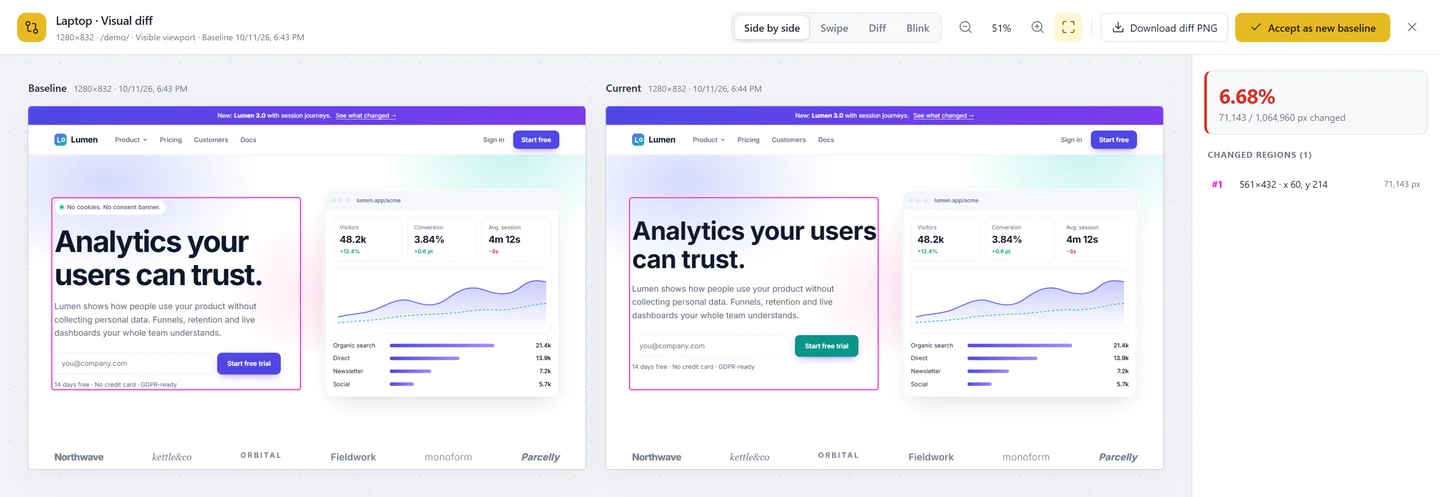
Compare a page with its baseline pixel by pixel, scan a whole site on every screen, find broken links, and hand over a report or a ready-to-file issue.
Test every screen before your users do.
Free to start. Pro for 3 days without a card.